



Historic destinations rated by the National Geographic

November 12th, 2008

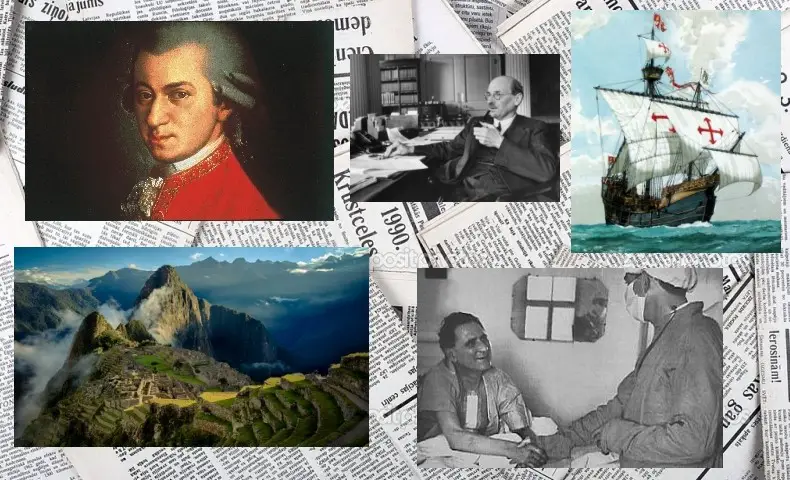
“Wonderful natural and cultural qualities (the Mekong River and the French colonial architecture), but indifference from the government has left it a backwater, challenged by pollution, traffic, congestion, poverty, and unmanaged development. It could have been a great stop on the way to Angkor, but most visitors now avoid it.” With a score of only 36 points, Phnom Penh’s historic area is ranked 109 out of 110 destinations rated by the National Geographic.

Among the last 10 places of the ranking, 7 are in the USA. And as for the top 10, Canada, Japan and Argentina are the only non European destinations. Austria and France are ranked twice in the top 10, respectively for Wachau/Melk Abbey (#1) and Graz (#5) and Aix-en-Provence [#6) and Dijon and Bourgogne region (#7).

About Wachau and Melk Abbey, the National Geographic says: “Each village and town seems to try to outdo the others in promoting local heritage while maintaining cultural integrity. The abbey at Melk is well managed and never seems crowded. Tourist zones are low-key and commercial establishments do not intrude on the visitor’s experiences.”

And about Aix-en-Provence: “The market is lovely and really feels like a classic upscale Provencale market. The historic buildings are well maintained. The city provides ample underground parking so Aix still can feel like a pedestrian town. You can get lost exploring the back streets, and barely sense that this is a major tourist destination. It has always been a noble town, and still feels like one.”

11 new dictionaries on Freelang

November 5th, 2008

Renato Figueiredo is taking us to a journey round the world, and a journey in time too. We start in Europe in the 17th century, with an Old Prussian dictionary. Old Prussian ceased to be spoken around the beginning of the 18th century. Then we travel to Central Asia, with Abkhaz and Ubykh, both northwestern Caucasian languages. Ubykh is now extinct, as his last speaker died in 1992. Pashto is an Indoeuropean language spoken in Afghanistan and Pakistan, and this is another new dictionary on Freelang. Moving on to north India, with Rajasthani and Oriya, then to Philippines with Cebuano, a Malayo-Polynesian language.

Now let’s go back across the Indian Ocean, and here we are, north of Madagascar and off northeast Mozambique coast, on the French island of Mayotte. French is the official language of the island, but Shimaore is the “lingua franca”. Let’s sail pass the Cape of Good Hope towards America, our last destination. Lunfardo is an argot of the Spanish language, spoken mostly in Buenos Aires (Argentina) and Montevideo (Uruguay), on either side of the Rio de la Plata estuary. We are now entering the deep forest of Brazil, and we meet the Xavante people, who live in the state of Mato Grosso. Finally, in Nicaragua and Honduras, we come across another indigenous language, Miskito.

We hope you enjoyed travelling with us, thank you Renato for being our guide!

Other websites: Brazilian Portuguese, Turkish and English

October 23rd, 2008

Quite frequently, fellow webmasters use our submission form to add their websites to our directory. Our directory has not been updated for a long time and we are thinking of reorganizing it, probably by mentioning the most useful links in the dictionary pages. So instead of having a whole page dedicated to links to other websites, we will keep only a short paragraph, like you can see on our Spanish page, for example. Google likes it better, and I think our users and our fellow webmasters will like it better too.

In the meantime, here are a few interesting websites that have been submitted recently.

Let’s begin by Helcio Domingues’ personal homepage, dedicated to Brazilian Portuguese. You will find grammar lessons and thematic vocabulary lists, as well as a detailed pronunciation guide with MP3 files to download.

Türkiye Sözlük is an interactive online dictionary. It’s all in Turkish so I’m not sure how exactly it is “interactive”, but it looks like a unilingual dictionary. So it’s not a translator, it gives definitions in Turkish.

Our third website is for English learners (beginner level or children) and is actually made of two blogs. The first blog presents vocabulary lists and vocabulary games, with pictures and sound. The second blog offers Flash games: Hangman, Memory, Drag & Drop games…

The real Maverick

October 13th, 2008

So McCain is a “maverick”. Palin used that word again, 6 times, during the last debate with Biden on October 2. To her it probably means some kind of a rebel, a nonconformist. But not everybody is happy with the use of the word, especially Terellita Maverick, whose last name has given its origin to the word. It began as far the XVIIe century, when Terellita’s ancester fought for the rights of workers. Then at the beginning of the XIXe century, Samuel Augustus Maverick was known in Texas for not branding his cattle. Non branded cattle was thus referred to as “Maverick’s”. Samuel’s grandson and great-grandson also lived by their name, fighting for individual freedom respectively as a congressman and as a lawyer.

So Terellita Maverick, Samuel’s great-granddaughter, now aged 82, is “enraged” when she hears that McCain is referred to as a maverick, because he has nothing of it, according to her. You know we don’t do politics at Freelang, but we found this story in the New York Times about the origin of the word, and we wanted to share it with you.

200th Freelang dictionary

September 14th, 2008

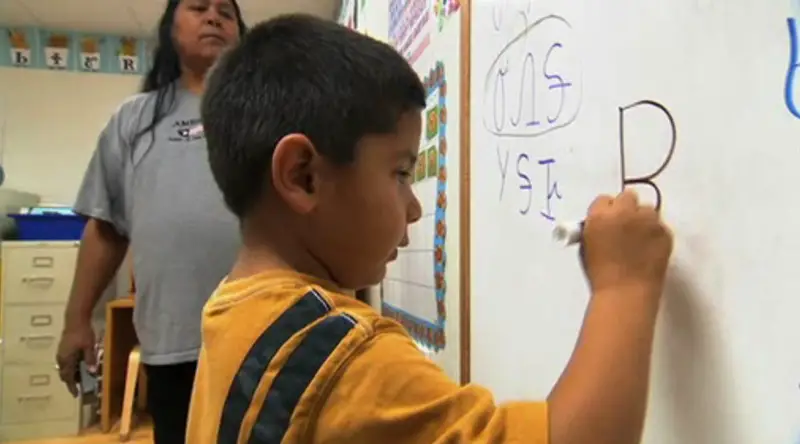
We are happy to announce that we’ve just uploaded our 200th dictionary on Freelang! It is a Cherokee-English dictionary, made by Shawn Greene. I would like to thank all the authors for their precious contributions, especially Renato B. Figueiredo, who contributed for 108 dictionaries in less than two years, but also Charles Lippert for maintaining the Ojibwe dictionary, Alexis B. Lemos for his Brazilian Portuguese dictionary, Holger Terkelsen for the Danish dictionary, and Jon McKenna and Shelly Daum for their regular updates of the Afrikaans and Norwegian dictionaries.

There are about 6,000 languages on Earth, so our mission to help preserving cultural diversity is only beginning!

Precision about the new installation routine

September 10th, 2008

It seems that the new installation process of the Freelang dictionary is working fine. We’ve only had two or three emails reporting problems so far, and we are trying to solve them. We would like to remind our users, though, that the program and the wordlists must be installed in the same destination folder. If you had installed our dictionary before, then it is probably installed in C:\Program Files\Dictionary. But the new installer suggests a new path (for sake of compatibility with Windows Vista), which ends by “Freelang Dictionary”. Therefore, if you wish to download an updated wordlist in the old folder, you have to select “Program Files”, then “Dictionary”, but you also have to delete “Freelang Dictionary” if it is automatically appended to the path by the installer.

Thank you for your patience and please feel free to contact us if you need any help.

Freelang Dictionary: new installation routine

September 7th, 2008

We have changed the way the dictionary installs itself on a computer, and we are happy to announce that it is now 100% compatible with Windows Vista. There is also an uninstall option, so if you want to remove Freelang dictionary from your system, you can do it by using the Add/remove programs option in Windows Control panel.

In the case of dictionaries using special fonts, like Armenian, Esperanto, Macedonian or Vietnamese, the fonts are now installed automatically.

It is only the installation that has been modified, not the program itself. So if you already downloaded and installed the program, you don’t need to do it again. If you are using Vista and experiencing trouble, though, like you can’t reverse the word lists, we recommend that you download the new installation files.

The dictionary updates will now resume normally. I would like to thank the authors for their patience, especially Renato Figueiredo. Many thanks also to Jordan Russell for developing Inno Setup Compiler and keeping it free and alive.

American customs can seize your notebook or iPod

August 3rd, 2008

Following our articles about US airports fingerprinting foreign passengers, and about a teenage boy in USA whose life was endangered when a security agent opened his sterile feeding tube at the airport, here comes more disturbing news from the “free world”. US customs now have the right to seize your laptop, your iPod or your hard drive, even if they have no reason to do so. They can take it elsewhere, for an unlimited amount of time, and can copy the content and share the data with other agencies or private entities. Books, letters and any written documents can also be seized.

The official source document can be found here.

So, you’ve been warned! If you are not boycotting the USA yet or if you really have to go there, make backups of your data, take only what you need, and send yourself an email (or use an online backup system) so that you can download private information from there. Any terrorist with just the one cell in his brain would do the same, which clearly shows that the issue has nothing to do with security.

LingvoSoft Dictionary 2008 for Pocket PC and Windows rules!

July 29th, 2008

LingvoSoft has what it takes when it comes to helping anyone - no matter what their age or skill level - communicate in a foreign language. With a complete array of Dictionary software for Pocket PC and Windows that is fully Vista and Windows Mobile 6.0 ready, there’s no limit to what you can achieve with LingvoSoft as your partner. A wide selection of talking and non-talking bidirectional translating dictionaries that are available for more than 45 languages, in rare and unique combinations, let anyone translate instantly between just about any language you can imagine.

Incorporating the world’s most complete and recently updated databases, LingvoSoft dictionaries are robust and responsive alternatives to heavy, old-fashioned paper-based resources. Helping you to find the word you need in a split-second they are not only fully customizable and user-friendly, but also offer a choice of 5 display languages, advanced TTS (text to speech) voice capabilities, and unique User’s Dictionaries that let you store the words you need most in a personalized dictionary. With lightening-fast search utilities and extensive linguistic resources, they provide reliable results every time.

And if that weren’t enough, LingvoSoft Dictionary 2008 offers full compatibility with the most popular MS Office applications to make any and all of your language learning tasks more efficient. By letting you use familiar and intuitive cut and paste commands you have the ability to quickly and easily translate unknown words from emails, documents, webpages and more So what are you waiting for? The time has come to get with the program – and let LingvoSoft help you achieve the success you know you deserve.

Find out more about these remarkable Dictionaries and find the language pair you’ve been dreaming of here: http://www.freelang.net/lingvosoft/

About LingvoSoft
LingvoSoft is an award-winning developer of translation and linguistic software for all major platforms. LingvoSoft engineers, programmers and linguists are responsible for developing one of the most respected lines of language-learning, dictionary, translation and localization software products for over 45 languages. LingvoSoft programs are known for their quality, effectiveness, and their use of the latest technologies.

Moving from Blogger to Wordpress

July 20th, 2008

I’m happy to announce that our blog is now powered by Wordpress. When I started this blog I knew very little about blogging, so I chose Blogspot because some of my friends were using it. But I quickly realized it was full of bugs! You can’t even put a picture in the upper left corner and start a new line normally, it automatically adds a blank line before. Sometimes it also adds blank lines between paragraphs, so you have two lines instead of one. Even in html mode, you have very little control on the layout of your posts. The publishing function sometimes works and sometimes doesn’t. The error messages are a real mess, for instance it says that it can’t publish your post, but the post has already been published. Or it says it can’t publish a picture and the picture really doesn’t appear, but you find it has successfully been uploaded on the FTP. I could go on like this for a long time.

So Blogger really sucks. I wouldn’t mind if it was a free service provided by a bunch of students, but Blogger belongs to Google, so we are entitled to expect something much better. Anyway, I packed everything, the posts, the pictures and the comments, and I went to Wordpress. Not surprisingly, I found that many people had done the same. For some of them the process had been easy, for some others it was much more difficult. For me it was not easy at all.

I’m going to be a little technical here, so you may skip this paragraph and jump to the conclusion. It is indeed very easy to import a blog from Blogger to Wordpress, but only if you have a blospot address (myblog.blogspot.com) and a wordpress address (myblog.wordpress.com). If you host your blog on your own server, things get complicated, or at least they did in my case. As I kept getting error messages each time I tried to import my blog via Wordpress, I finally switched the hosting in Blogger to a blogpsot.com address, and I also created an account in Wordpress to have a wordpress.com address. I could eventually import my blog into Wordpress, but then I had to re-export it as an xml file so that I could use it with the version of Wordpress on my own server. I hope things are easier for you if you migrate your blog from Blogger to Wordpress, but if you have trouble importing it, now you know what you have to do.

It was far from over, though. I still had to redirect my old links. Blogger uses an index.html file in the blog folder, so I made a 301 redirect in my root htaccess file, and I also specified that index.php should be the only index taken into account (DirectoryIndex index.php is the line to insert in your htaccess file). I then changed the format of the permalinks in Wordpress, because the default option is not search engine-friendly. If you do that, you must make chmod 777 on your htaccess file, then chmod back to 644. My permalinks had all changed format (but for the better), so I also had to use redirections in my htaccess file, for every single URL. Fortunately, there was not too many of them. Finally I updated my sitemap and the robots.txt file, to avoid any duplicate content.

So it took me a lot of time this week-end, almost the whole week end to be honest. My “geek years” are far behind me now, so I don’t find much satisfaction in toying around like this, but I hope it was worth it.

Welcome to our new blog!